What happens when I upload a Paper?
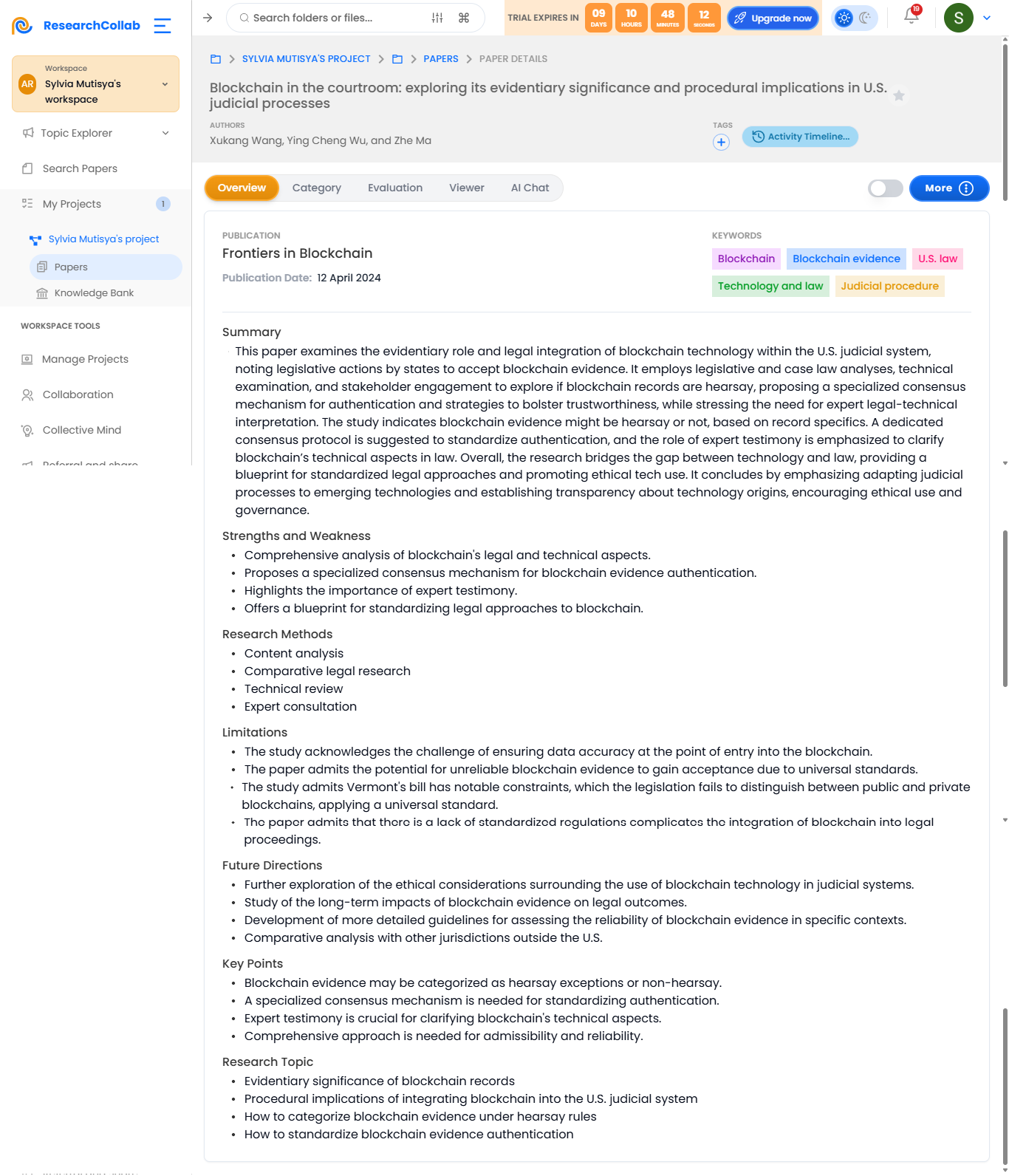
When you upload a paper to ResearchCollab, the platform automatically processes the document to help streamline your research workflow. Here's what happens step by step:
Information Extraction
The system scans your document and extracts key information such as:
Title, Authors, and Abstract: Basic metadata to help identify the paper.
Keywords and Topics: Automatically detected for better categorization and tagging.
Citations & References: A full list of cited works, making it easier to explore related research.
Summarization
An AI-powered summary generator provides:
Concise Overviews: Key findings, conclusions, and main arguments.
Section Highlights: Quick summaries of major sections like the introduction, methodology, and discussion.
Research Connections
The system identifies links between the uploaded paper and:
Related Papers: Suggestions for similar research from your library or external databases.
Research Gaps: Potential areas for future study based on unexplored themes or findings in the paper.
Topic Suggestions: Relevant keywords or concepts for expanding your research.
AI Interaction Features
Once processed, you can engage with the paper through advanced AI tools:
Ask Questions: Chat with the AI to clarify complex concepts, definitions, or findings from the paper.
Generate Insights: Get AI-generated interpretations, alternative viewpoints, or suggestions for further research.
Create Annotations: Add notes, highlight important sections, or collaborate with team members directly on the document.
Organization & Management
Tagging: Automatically or manually assign tags based on topics, methodology, or relevance.
Project Linking: Associate the paper with specific projects for easy retrieval later.
Activity Log Update: Every upload updates your project’s activity log for better tracking of your research workflow.