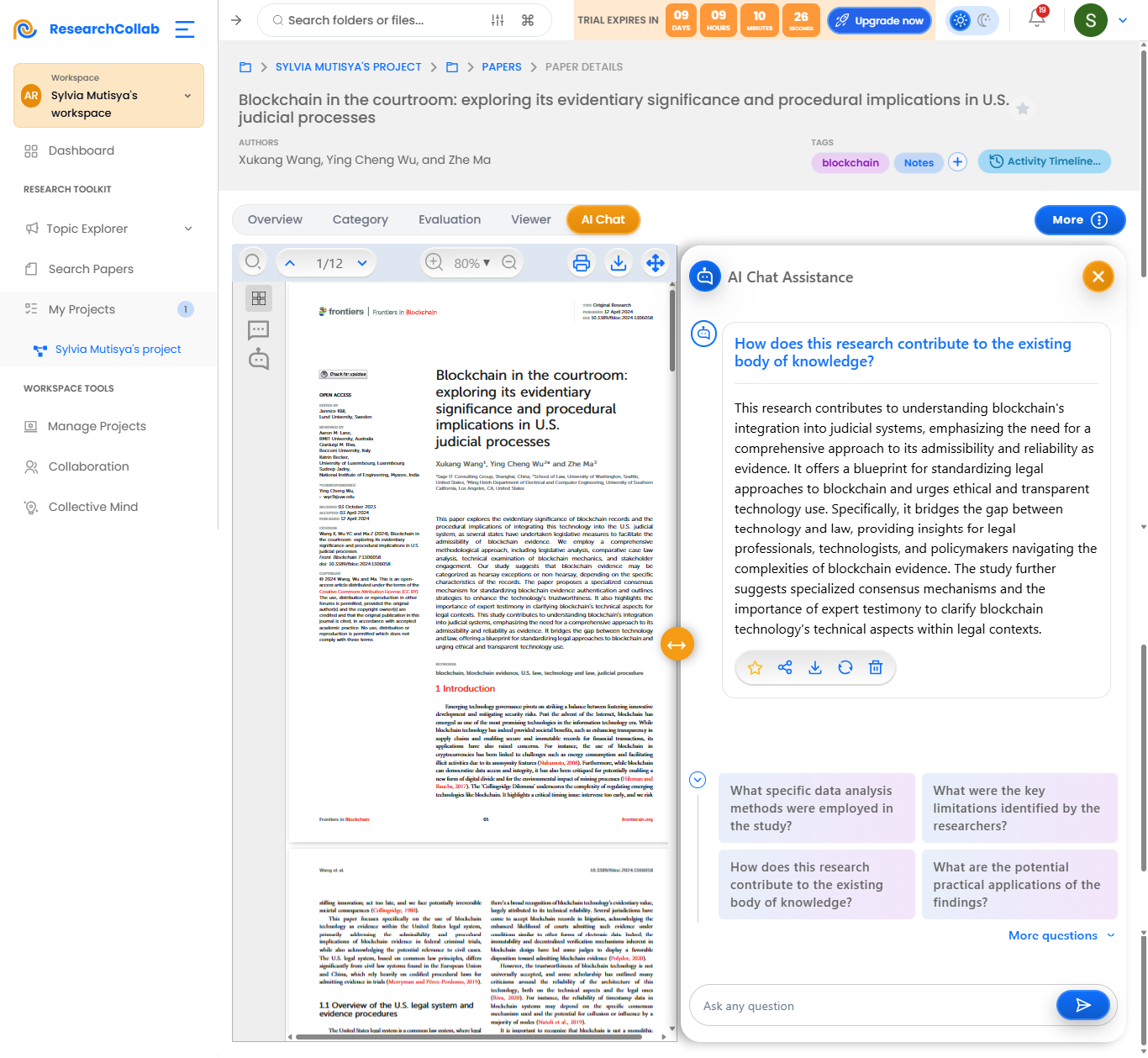
How can I chat with my uploaded Paper?
To chat with your uploaded paper in ResearchCollab, follow these steps:
Open the Paper – Navigate to your project, select the paper from the list, and open it in the viewer.
Access AI-Powered Chat – Click on the Chat with Paper feature, usually located in the sidebar or as a button within the document viewer.
Ask Questions – Type your questions directly into the chat box. You can inquire about:
- Specific sections (e.g., "What is the main argument in the discussion section?")
- Definitions of complex terms
- Summaries of sections or the whole paper
-- Clarifications of methodologies or results
Receive AI Insights – The AI will analyze the paper’s content and provide relevant, concise answers, pulling directly from the text or offering simplified explanations.
Follow-Up Questions – Continue the conversation by asking follow-up questions or requesting deeper insights on particular findings or theories.
Save Annotations – If needed, you can highlight parts of the AI’s responses and save them as annotations or notes for future reference.
This feature streamlines your understanding of complex research papers and speeds up the literature review process.